
Features
A complete PDF signing and stamping workflow — fast, precise and right on your computer.
For professionals and teams working with documents
A complete signing and stamping workflow
Create your stamps once, place them precisely and prepare documents in seconds.
Custom stamps
Create round, square, rectangular, oval, dater or signature stamps with your company’s text, fonts and colours.
Automatic placement
Sign PDF finds free space on each page and sizes the stamp to avoid text and tables.
Handwritten signature
Load an image of your signature. The paper background is removed, then you can adjust it on your stamp.
Up to 4 stamps at once
Combine your company stamp, date, notes such as “Approved” and your signature without overlap.
Adjust on the document
Move, resize or rotate a stamp with the mouse. Double-click to open its detailed editor.
Local processing
Open and sign PDF documents on your computer. Your files are never uploaded to a server.
Automatic placement that respects your content
Sign PDF analyses each page, detects text, tables and existing stamps, then looks for a suitable open area for your stamp.
- Avoids text, tables and existing stamps
- Resizes the stamp only when space is limited
- Choose all pages, first, last or a custom range

Your signature, built into the stamp
Load a photo or scan of your signature. Sign PDF removes the paper background and aligns it on the signature line; then you can move, scale or rotate it.
- Adjustable background removal
- Keep original colours or choose black or blue
- Adjust the signature with your mouse
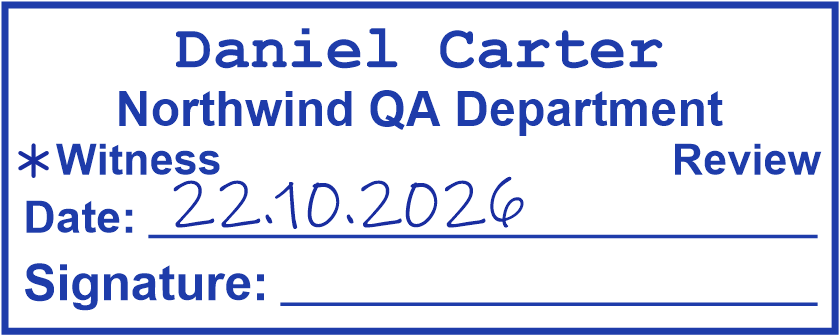
A style for every document
Customise text, fonts, sizes, colours, borders and line weights.




Three steps from PDF to finished document
Add your PDFs
Drag documents into the app or open them from Windows with “Open with → Sign PDF”.
Choose your stamps
Select the stamps you need and let the app place them automatically. Adjust by hand if needed.
Save your documents
Export signed PDFs to the folder you choose, individually or all at once.
Stamp your next PDF in seconds.
Create your stamps once — Sign PDF places them on every page for you.